
What Are Shared Lessons?
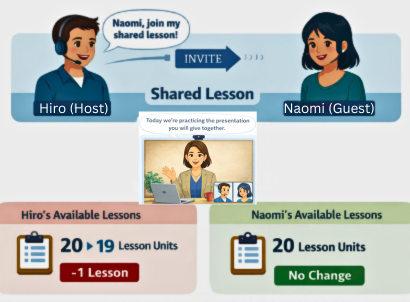
Shared Lessons let you invite a colleague, friend, or family member to join your live 1:1 lesson. You use one lesson unit from your plan, and your guest joins completely free. It is a great way to make lessons more social and practice real-world conversation with someone you know.
Why Try Shared Lessons?
More like real life
In real life, conversations usually involve more than two people. Shared Lessons let you practice listening and responding with others — just like a real meeting or social gathering.
Motivation through connection
Learning with a partner keeps you accountable and makes lessons more engaging. You can encourage each other and share the learning journey.
Help empower your co-workers
Some colleagues may feel intimidated by the idea of English lessons. Inviting them to a Shared Lesson is a low-pressure way for them to experience it without any sign-up or payment.
A fresh challenge for veteran learners
If you have been taking lessons for a while, a Shared Lesson introduces variation. Working with another person brings new perspectives and conversation dynamics that keep things interesting.
What Students Say
“Shared Lessons are good because I can listen to the other person's ideas, and that makes the lesson fun.”
— Asuka
“I was nervous to speak English with my boss, but I had a good time and learned a lot.”
— Takeshi
How to Book a Shared Lesson
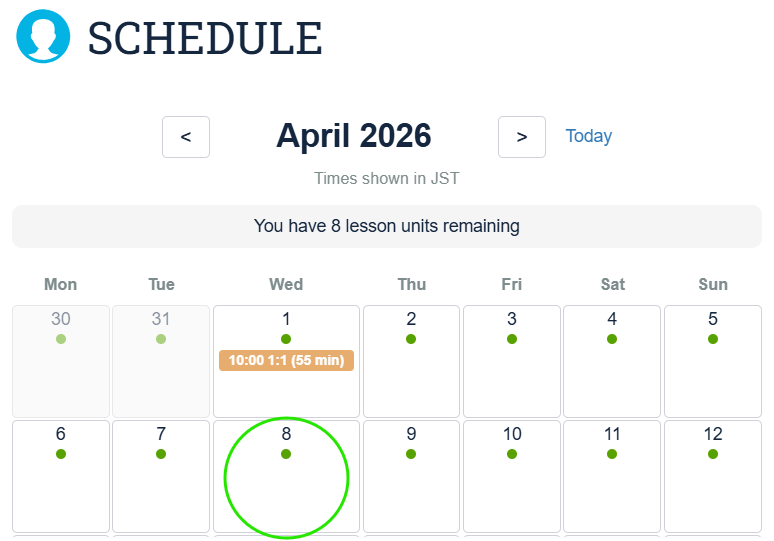
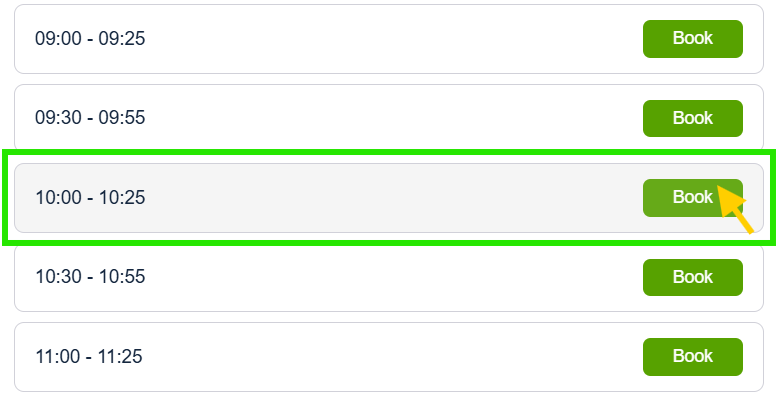
Choose any date and time on your schedule.
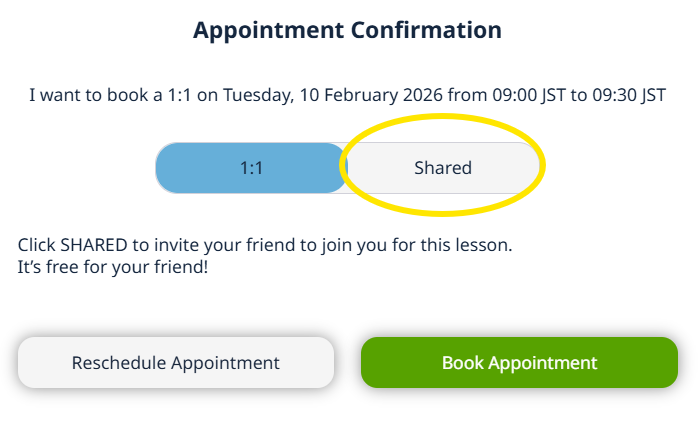
Change the appointment from "1:1" to "Shared".
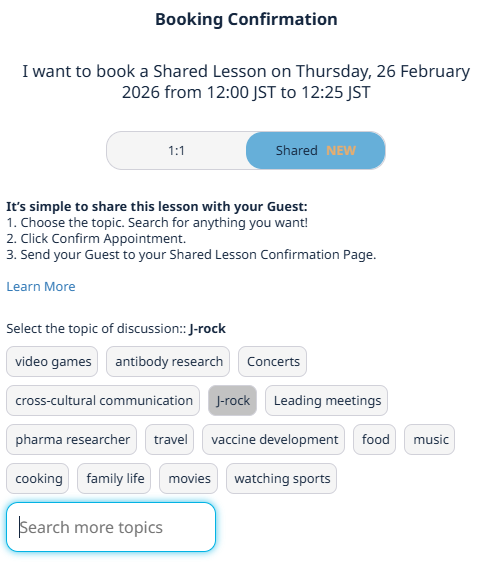
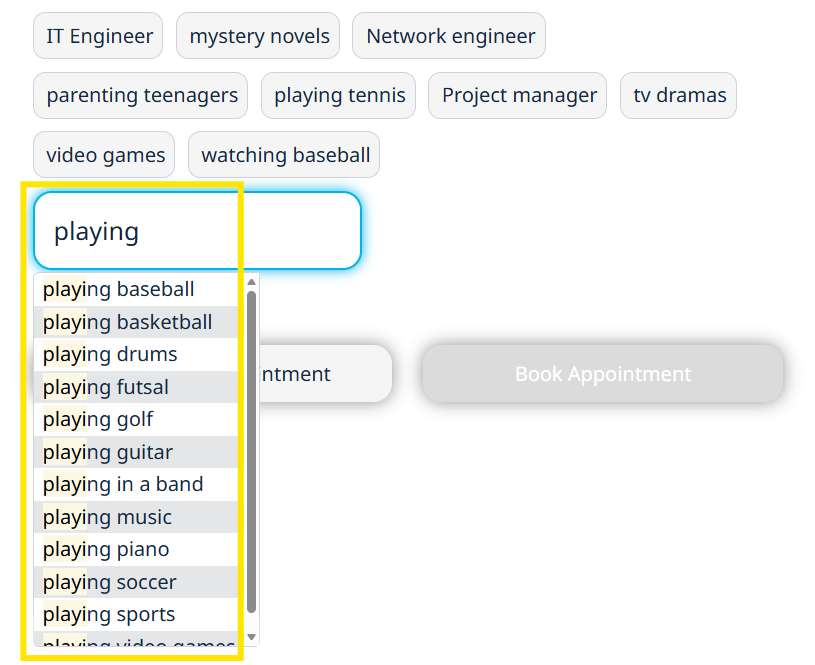
Choose the discussion topic for your Shared Lesson. Or, choose something different by searching for more topics.
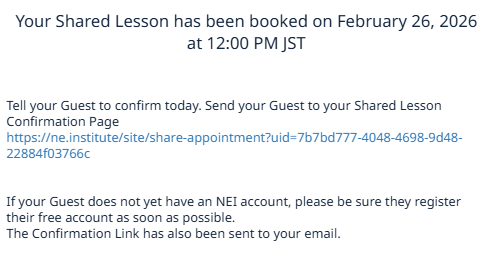
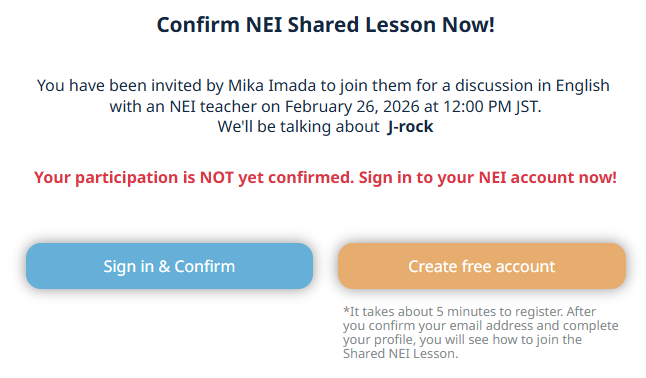
Send your Guest the Shared Lesson Confirmation Page via email, SMS, intra-company chat, or any other means convenient for your Guest. If your Guest does not have an NEI Account, they'll receive instructions to set one up.
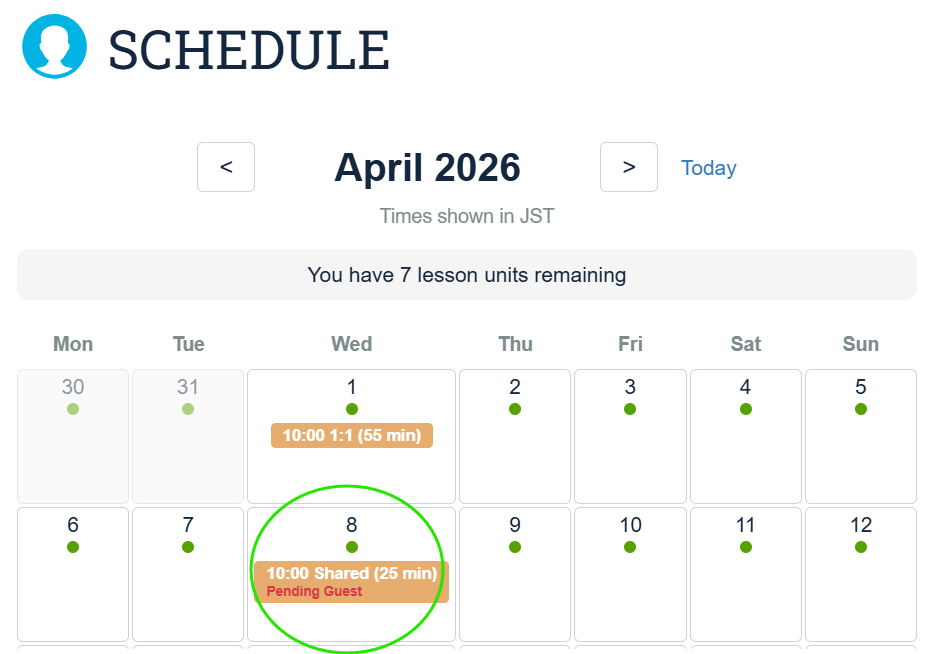
Your Shared Lesson is scheduled! Your 1:1s and Shared Lessons are clearly labelled on your NEI Schedule.
Shared lessons are not a replacement for 1:1 lessons. We encourage you to experience both ways. NEI lets you choose!
Shared Lessons FAQs
Can I invite a guest who has never tried NEI?
Yes! Newcomers will receive account setup instructions — it is a quick 5-minute process.
How many times can I share lessons?
Active subscribers can share lessons with each other unlimited times. Newcomers can be invited once per person as a single invitation.
How many lesson units does a Shared Lesson cost?
A Shared Lesson uses one 1:1 unit from your plan. Your guest uses none — they attend for free.
Does a Shared Lesson count toward my Progress Speaking Assessment?
Yes — both participants receive credit toward their Progress Speaking Assessments.
What happens if my guest does not show up?
If your guest does not attend, the teacher will conduct a regular 1:1 lesson with you. Standard cancellation policies apply.
Can I cancel a Shared Lesson?
Yes. Cancellation cancels the appointment for both parties. Standard cancellation policies apply.
Where can I find the confirmation link to send to my guest?
The invitation with the confirmation link will be emailed to you after booking. Forward this to your guest so they can confirm.