
Vocabtivate™ FAQs
Vocabtivate™ is a dynamic, personalized game that expands your vocabulary. New vocabulary for you to practice will automatically appear every time you talk to Ada. You can also add your own words!
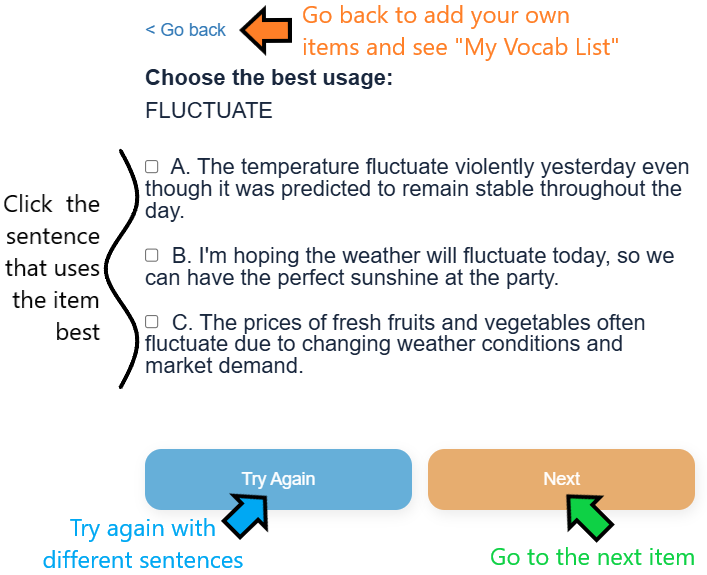
What should I do if I don't recognize a word or phrase?
Try to infer the definition from the sentence context first. This strengthens your guessing skills and helps you remember the word better. If you’re still unsure, highlight the unfamiliar word or phrase and right-click. Most browsers offer an instant translation, so you can check the meaning without leaving Vocabtivate™.
How can I build my listening skills with Vocabtivate™?
Eyes-closed listening: play the audio and close your eyes before reading. This trains your ear to catch pronunciation, rhythm, and intonation. Audio-only challenge: for extra practice, choose the best sentence by listening alone, without reading the text!
Can I add my own words, idioms, or phrasal verbs?
Yes! After you type a new item — a new word, an idiom (“the ball is in your court”), or a phrasal verb (“make up”) — refresh the page. Your addition will appear within the next 5 questions of your Vocabtivate™ session.
What's the most effective way to learn from the example sentences?
Choose the Best Choice sentence. This sentence places the target vocabulary in a natural, well-formed context. The goal is to learn correct usage, not to analyze what’s wrong with the other two sentences.
How does Vocabtivate™ circulate my vocabulary?
Every time you open Vocabtivate™, vocabulary is automatically extracted from your most recent Ada™ conversations. Words and phrases you add yourself appear within the next 5 questions. When you pick the Best Choice, that vocabulary item moves to the bottom of the list. If you don’t pick the Best Choice, the item will reappear within 5 questions.
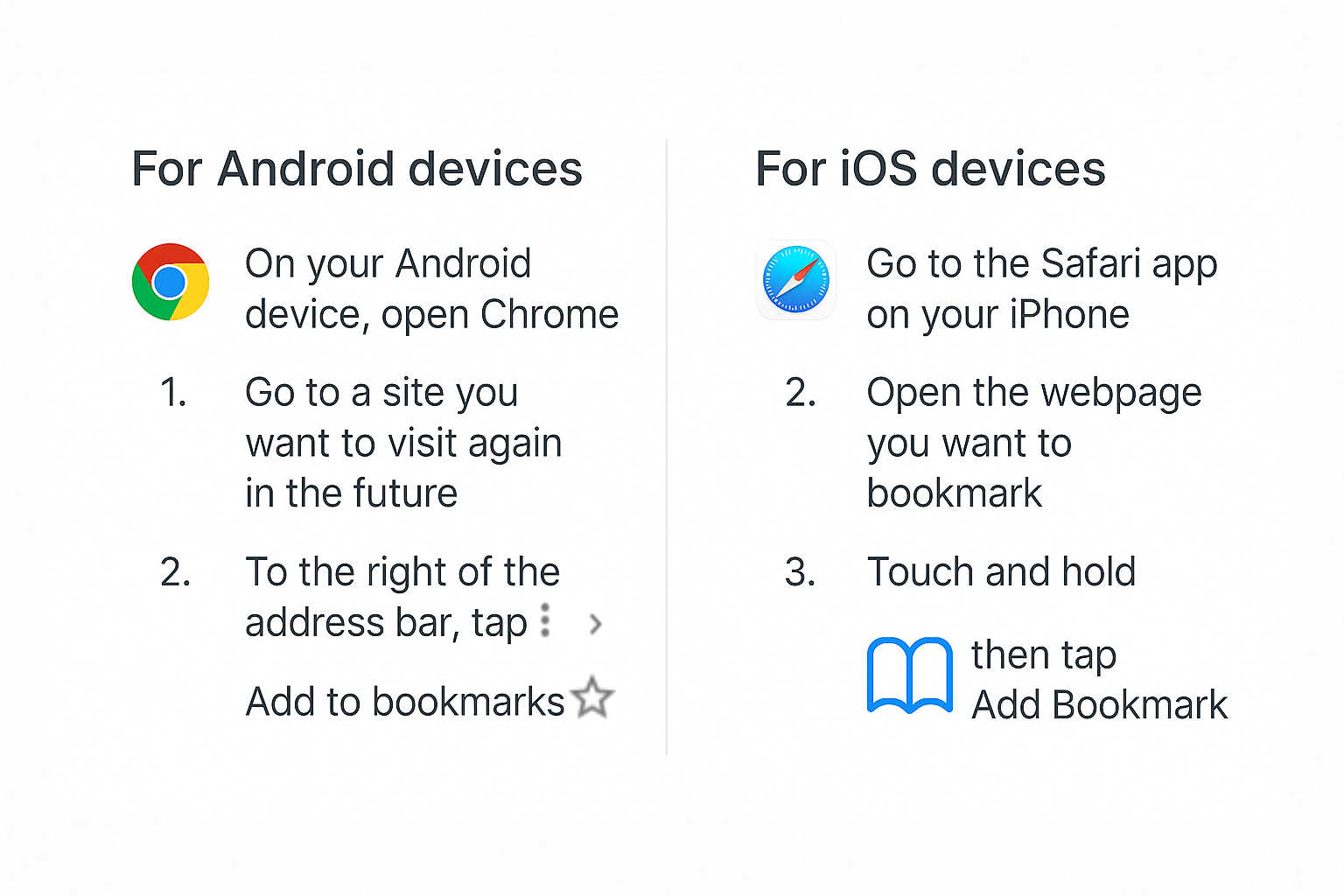
Bookmark Vocabtivate™ on your mobile device for easy access!
For other issues, please see NEI Troubleshooting.